Android app · Free · Coming soon
PennyDungeon, a budget app with a tiny dungeon.
PennyDungeon is a simple money tracker for Android. Log what you spend and earn, set a monthly budget, and save toward your goals. A small ASCII hero cheers you on: logging, staying within budget and saving move your hero forward.
It stores everything on your phone and works fully offline. No account, no sign-up, no internet needed.
Coming soon to Google Play
Your data stays on your phone
- Stored locally. Your entries, budget and goals are saved in a database on your phone. They are never uploaded anywhere.
- Works offline. Logging, reports, goals and the hero all work without an internet connection.
- No account, no ads, no tracking. There is no login, no analytics and no advertising inside the app.
- You make the backups. Your data leaves the phone only when you save a backup file or export a CSV yourself.
Because nothing is kept online, uninstalling the app or losing your phone deletes your data. Save a backup file now and then (More → Save backup file) and keep it somewhere safe.
What each screen does
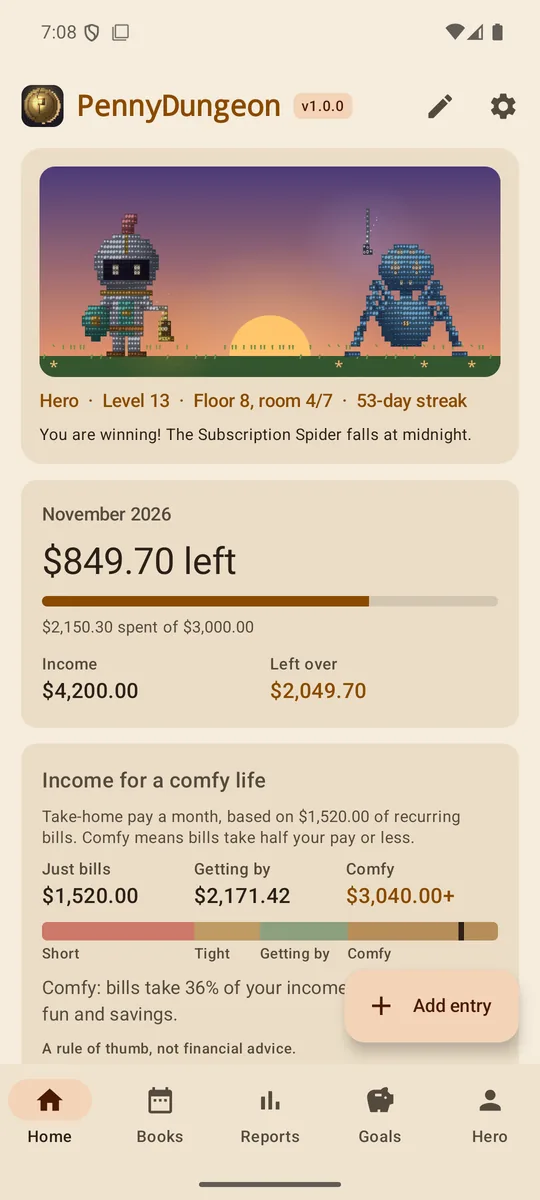
Home: your month at a glance
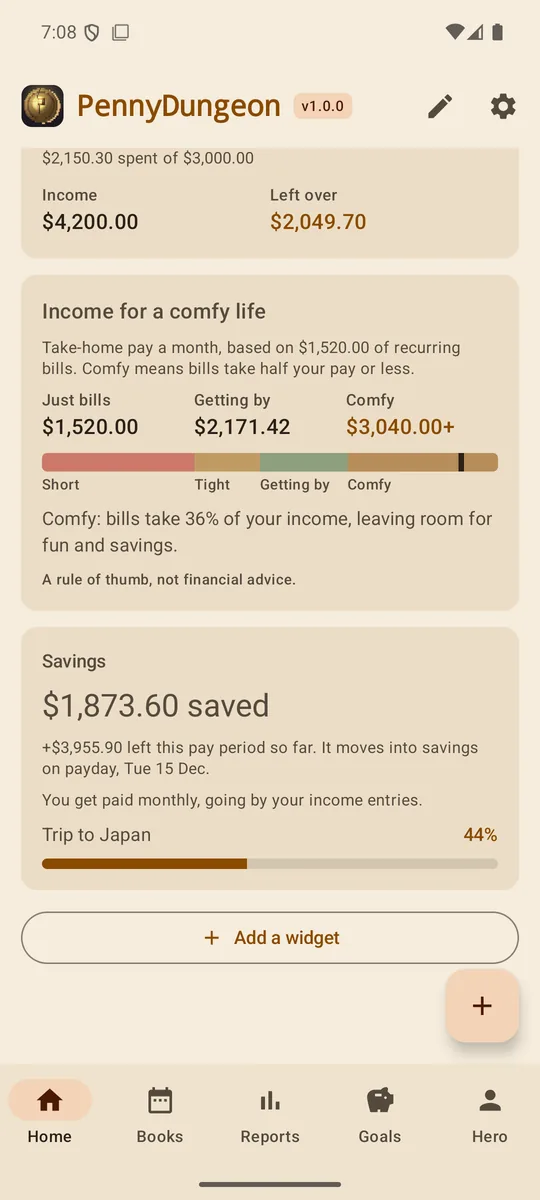
How much budget is left this month, what came in and what is left over. The comfy income card works out the take-home pay your recurring bills need, from just getting by to comfy. You choose which cards show and in what order.
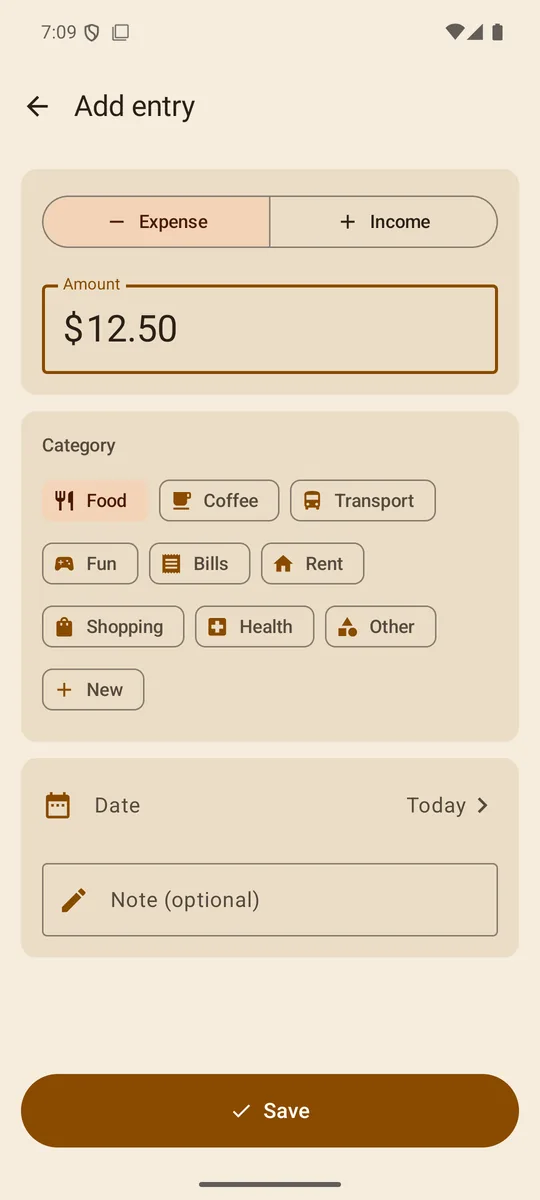
Add an entry in seconds
Pick expense or income, type the amount and tap a category. Your most-used categories come first. The date and a note are optional, so most entries take a few taps.
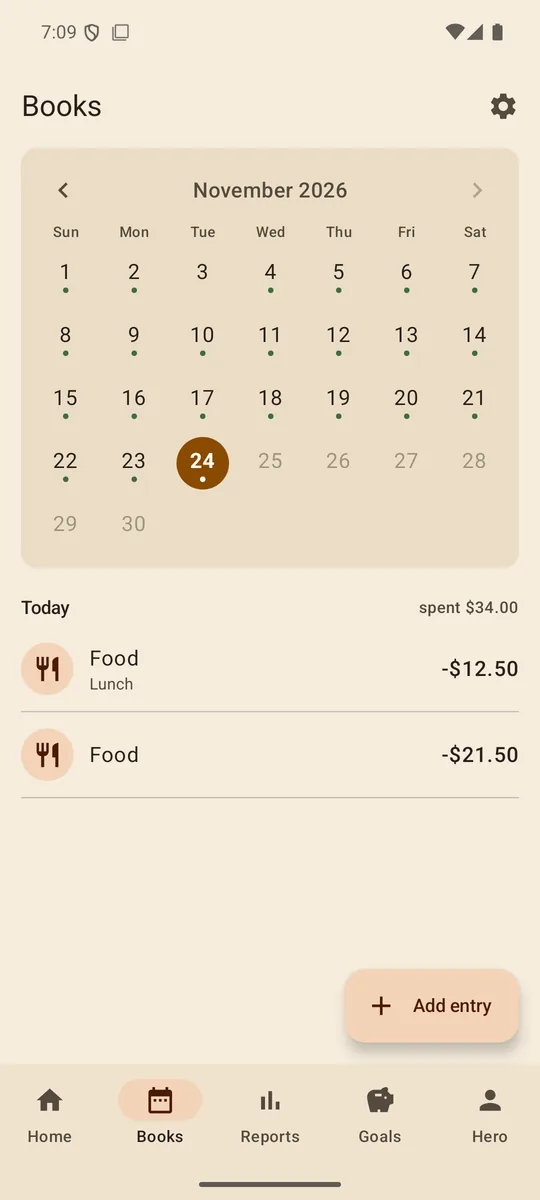
Books: every day on a calendar
A dot marks each day you logged something. Tap a day to see, edit or delete its entries.
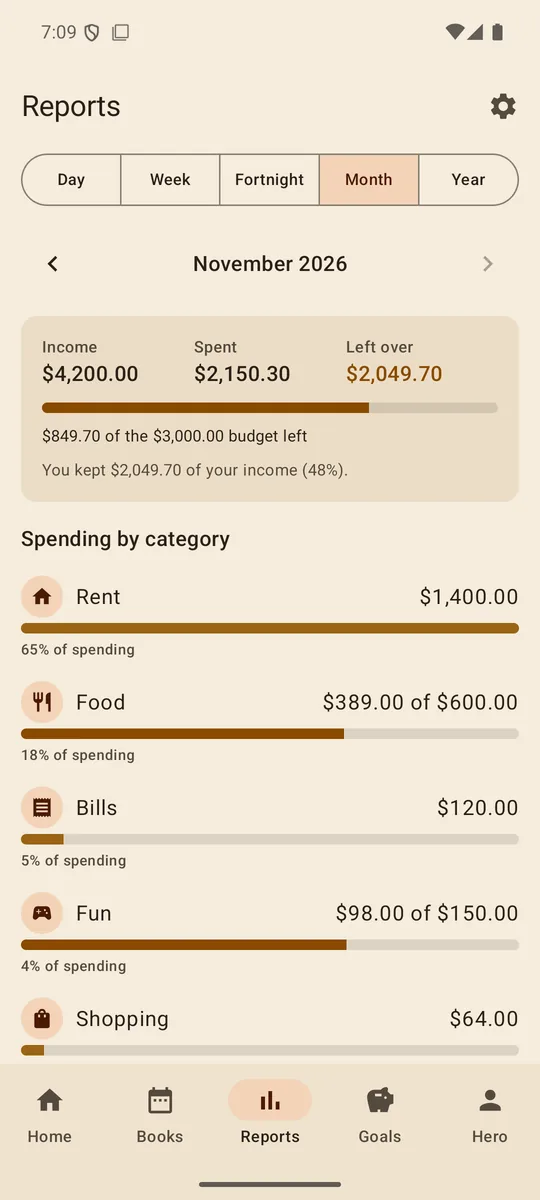
Reports: where the money went
Look at a day, week, fortnight, month or year. Spending is split by category, and categories with a limit show how close you are to it.
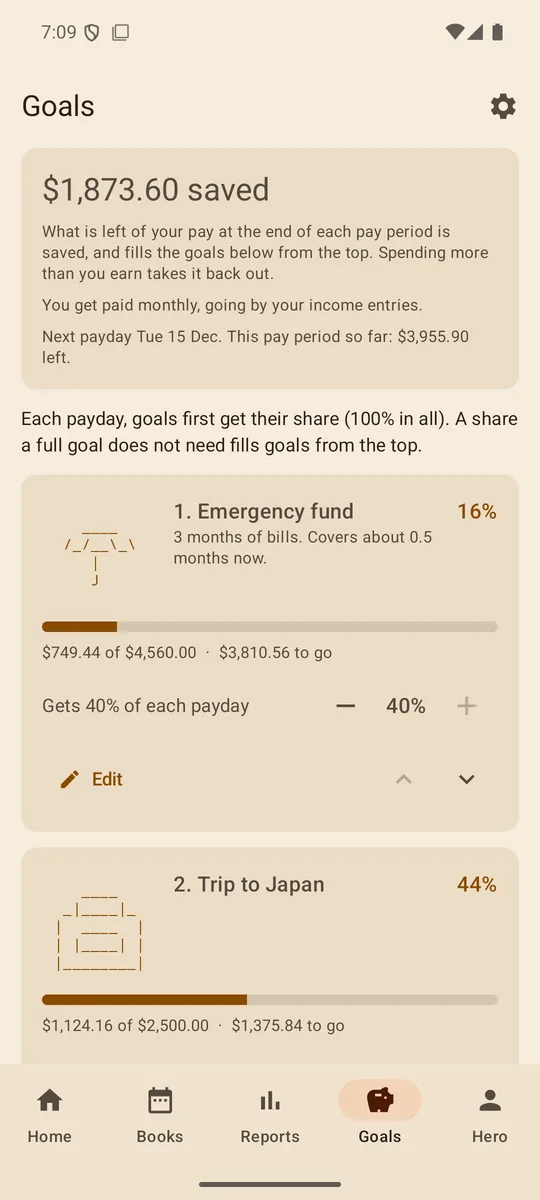
Goals and an emergency fund
What is left of your pay on payday is saved and shared between your goals. The emergency fund aims for 3 or 6 months of your bills and tells you how many months it already covers.
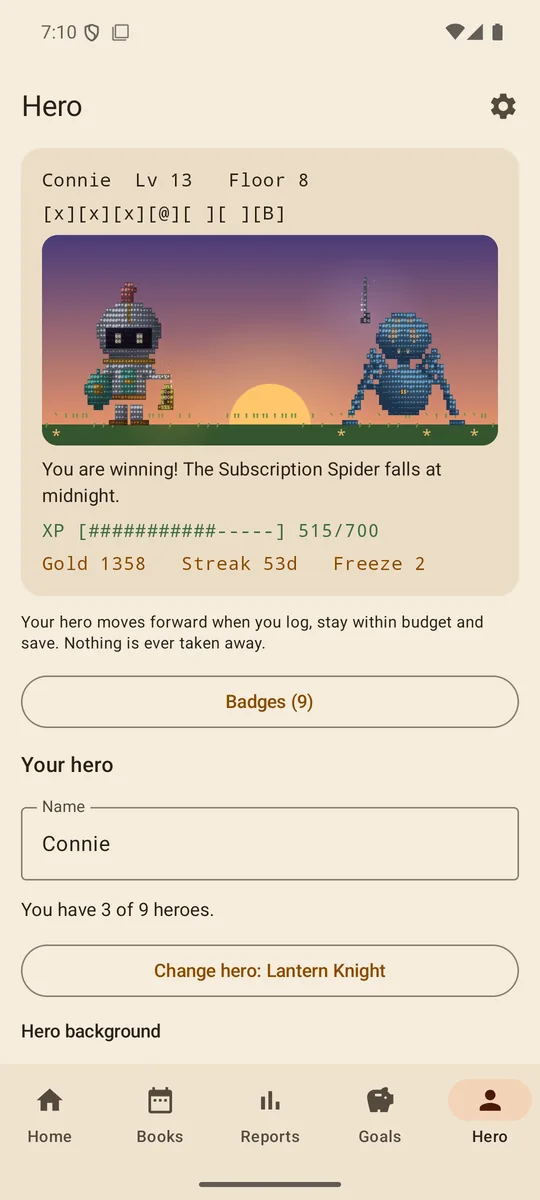
A hero who only moves forward
Logging earns XP, each day you log clears a room, and staying within budget and reaching goal milestones beat bosses. There is no health bar and nothing is ever taken away, so a bad week never costs you progress.
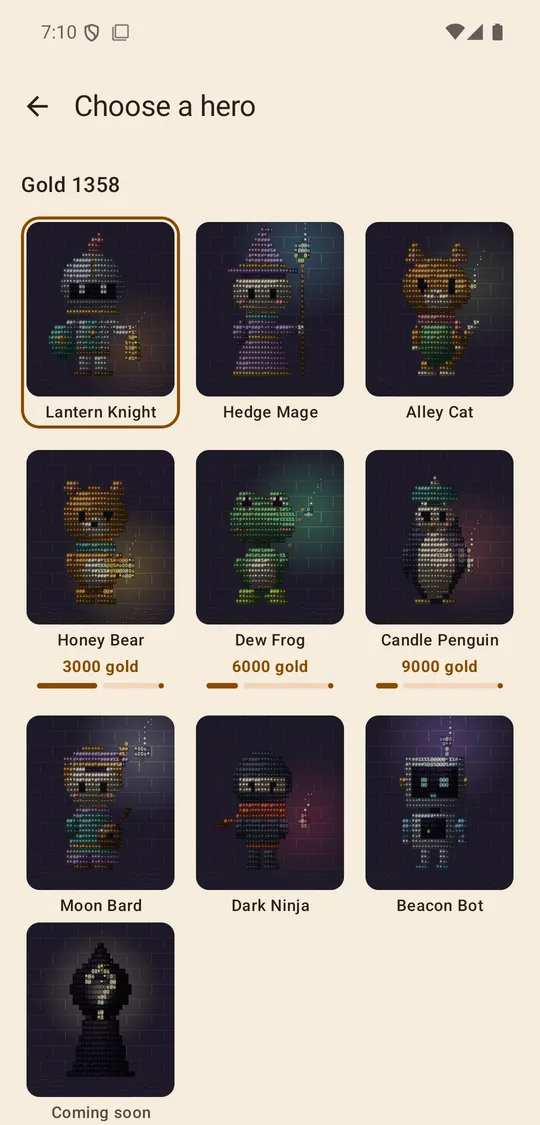
Nine heroes to collect
Three heroes are free from the start. Three more unlock with the gold your hero earns, which takes a few months. Three optional heroes can be bought to support the app. A hero only changes the look, never your gold, XP or progress. More heroes are coming soon.
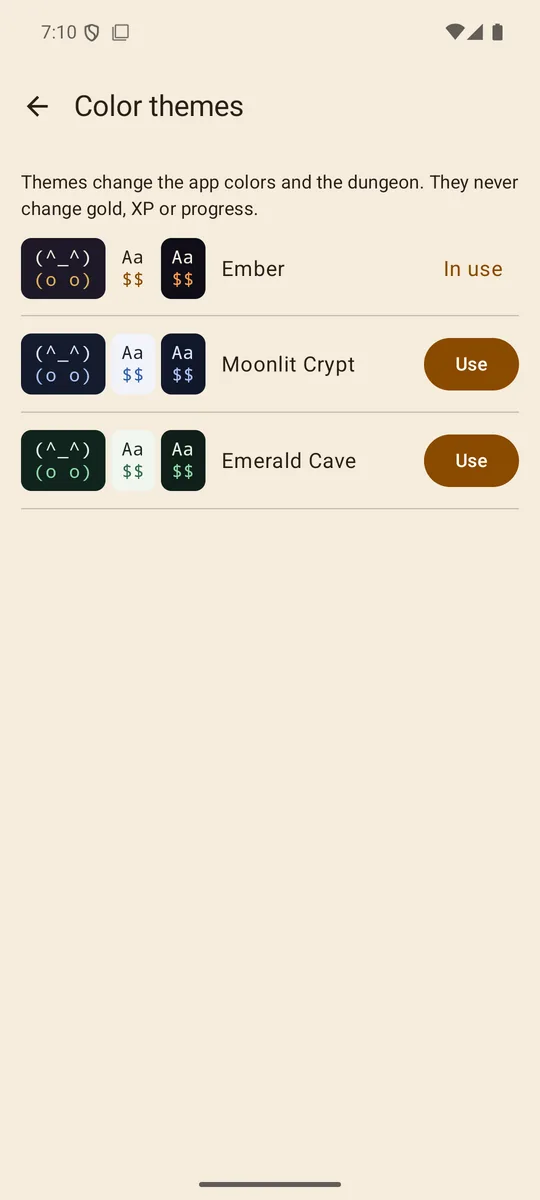
Free colour themes
Every colour theme is free. Each one changes the app and the dungeon, in light and in dark mode.
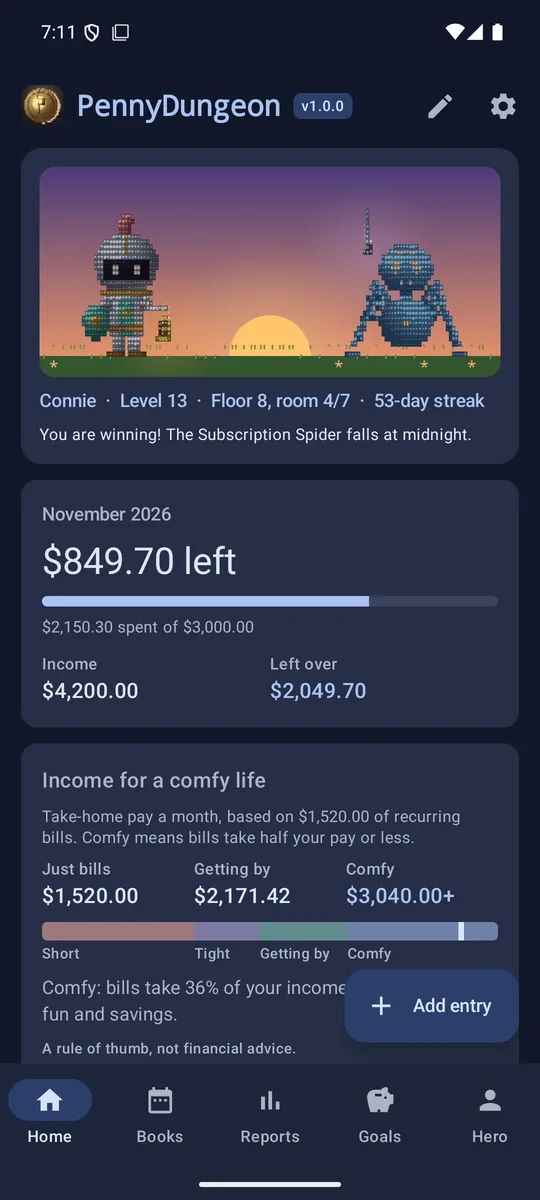
Light, dark or same as phone
Choose light, dark or same as your phone in More. Here is Home in dark mode with the Moonlit Crypt theme.
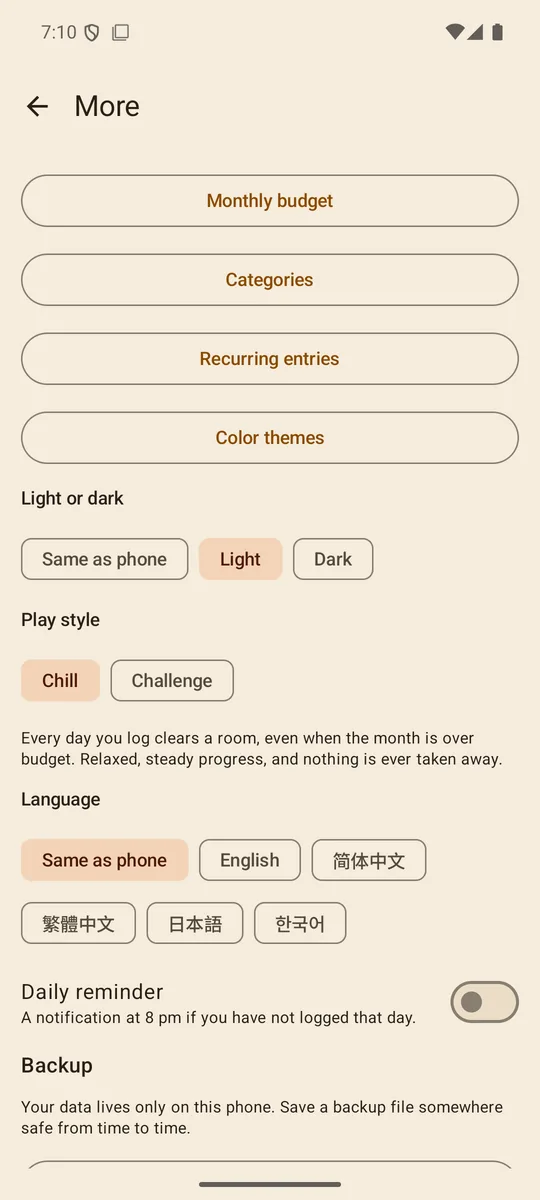
Settings and backups you control
Set your budget, categories and recurring entries. Pick light or dark, a language, and Chill or Challenge play style. Turn on a daily reminder, save a backup file, restore it, or export your entries as a spreadsheet (CSV).
Also included: home screen widgets, recurring entries such as rent and salary, and a Chill or Challenge play style you can change any time. Screenshots use sample data and light mode unless they show a theme.
Coming soon to Google Play
PennyDungeon is not available to download yet. It will be released on Google Play, after a closed test with real users. The app is free. The only purchases are the three optional heroes; colour themes are free and nothing you buy affects your money, XP or progress. The only permission it asks for is notifications, for the optional daily reminder.
Want to test it early?
Have an Android phone and want to join the closed test, or have an idea? Email me at arthurh@ahdevstudio.com. I use your address only to reply and, if you join the test, to add you as a tester on Google Play.
PennyDungeon helps you keep track of your own money. It is not financial advice.